How to Print Graffiti on a T-Shirt
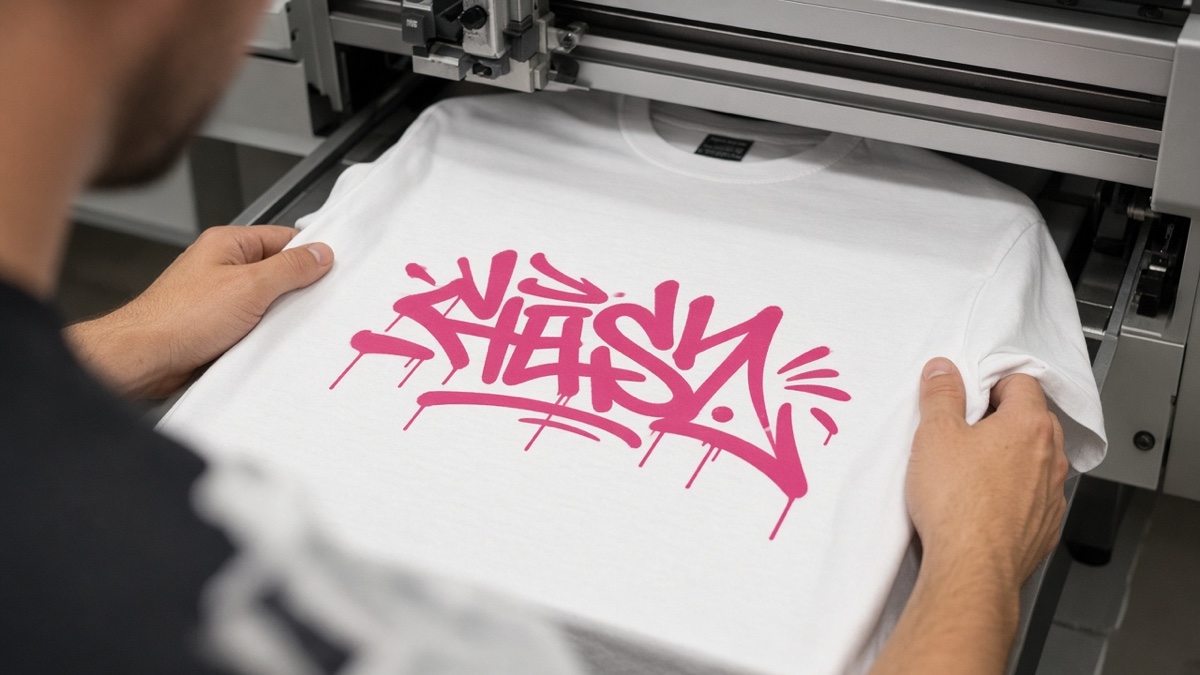
Every export from the Graffiti Generator is 800 pixels wide by 600 pixels tall. That is the whole file. Not 300 DPI at twelve inches. Not a vector you can scale forever. Eight hundred by six hundred pixels at 1x scale, every time, on desktop and mobile. If you plan to print graffiti on a t-shirt, you need to understand that constraint before you pick colors or open a print-on-demand dashboard.
This procedure walks through export settings, upload order, fabric limits, and the font licenses that matter when you sell shirts.
Why does 800 by 600 pixels matter for shirt printing?
Direct-to-garment printers accept raster PNG uploads, then map your file onto a print area measured in inches. Spread 800 pixels across a ten-inch chest print and you get about 80 pixels per inch. Bold marker strokes survive that math. Hairline speckle does not. POD editors often show a green checkmark even when you scale a small file across the entire back panel. The checkmark means the upload succeeded, not that the print will look sharp.
| Print placement | Typical width on shirt | Rough PPI from 800 px width | Practical result |
|---|---|---|---|
| Left chest logo | 3 to 4 in | 200 to 267 PPI | Crisp for simple tags |
| Centered chest graphic | 8 to 10 in | 80 to 100 PPI | Good for bold graffiti fills |
| Full back panel | 12 in or more | Under 67 PPI | Soft edges, visible pixel steps |
That is not print DPI in the prepress sense. It is how many source pixels you have per inch of fabric. Keep phrases short (under thirty characters), pick high-contrast outlines, and treat the chest zone as the realistic target. Back prints and all-over layouts need art drawn at a higher pixel count elsewhere.
How do you export a transparent PNG for shirt printing?
Choose Transparent in the background options before you click Download PNG. The file keeps an alpha channel so the shirt fabric color shows through the empty space around your letters. Solid backgrounds bake a rectangle into the image, which prints as a visible box on heather or black cotton.
Open the Graffiti Generator and type your word. Eight fonts are available: Permanent Marker, Rock Salt, Bungee Shade, Bangers, Rubik Spray Paint, Anton, Black Ops One, and Creepster. Anton and Black Ops One read well on chest prints because condensed strokes stay bold at eight inches wide. Creepster adds drip detail that can soften when DTG ink cures on dark cotton.
Example: type CREW in Permanent Marker, set fill to #00E5FF, outline to #111111, outline width to 4, spray intensity to medium, background to Transparent, then download. You get an 800 by 600 PNG where the checkerboard areas are truly empty. Upload that file, not a screenshot of the preview.
Use the live preview to check line breaks. Long strings shrink to fit ninety percent of the canvas width, which thins strokes before you reach the printer.
How do you upload graffiti art to a print-on-demand shirt?
Print-on-demand sites (Printful, Printify, Redbubble, and similar) follow the same pattern: create a product, open the mockup editor, upload your PNG, position it in the safe print zone, pick a blank shirt color, then publish or order a sample. Printful's file guidelines recommend 150 DPI at the final print size for DTG, which your 800 px file meets only when the on-shirt width stays near ten inches or less.
- Export a transparent PNG from the generator with your final colors locked in.
- In your POD dashboard, start a new t-shirt and open the front print editor.
- Upload the PNG. Center it on the chest and scale until the mockup ruler shows about eight to ten inches wide.
- Switch fabric colors in the mockup. If the fill vanishes on dark cotton, go back and add a lighter outline before re-exporting.
- Order one test shirt before you list ten color variants.
Do not rely on the editor's auto-enhance or upscaling toggles to fix a blurry back print. They smooth pixels that were never there.
I order a single test shirt before listing color variants because DTG on navy always dulls neon fills more than the mockup preview suggests.
What color and fabric limits should you expect on shirts?
DTG ink sits on top of cotton and polyester blends. It does not glow like a phone screen. Neon hex values from the generator preview dull after curing, especially on dark garments without a white underbase.
| Fabric color | Fill color risk | Outline tip |
|---|---|---|
| White or ash heather | Low | Black outline optional for spray edges |
| Black or navy | High for dark fills | Use white or yellow outline, width 3+ |
| Red or royal blue | Medium | Avoid same-hue fill without contrast stroke |
| Pastel pink or mint | Medium for yellow fill | Add dark outline or switch fill hue |
Ringspun cotton holds detail better than coarse tri-blends. Order one test shirt before you publish ten color variants.
Unicode shirt ideas that are not PNG-based live in a different lane. Gothic vs blackletter vs fraktur covers text styles for bios, not DTG uploads. How to make invisible text that actually works is another chat-format topic, not fabric printing.
What font licenses apply before you sell merch?
The generator ships eight open-source webfonts as WOFF2 files with license text in public/fonts on this site. Permanent Marker and Rock Salt use Apache License 2.0. Bungee Shade, Bangers, Rubik Spray Paint, Anton, Black Ops One, and Creepster use SIL Open Font License 1.1. Both families allow commercial use when you follow their attribution rules, but read the actual license files before you sell shirts.
A printed shirt with letterforms is generally allowed. A digital download of the WOFF2 file repackaged as "graffiti fonts" is not. The procedural spray layer is generated in your browser here, yet the letter shapes still trace licensed outlines. Save which font you used per design if a marketplace asks for proof.
Honest limit: you cannot edit individual letters after upload without re-exporting from the generator or tracing in a desktop editor. Output is a flat image, not editable text layers. For chat experiments unrelated to merch, why does zalgo text break Discord explains combining-mark limits on that platform.
Frequently asked questions about printing graffiti shirts
Can I sell t-shirts with graffiti generator art?
You can sell shirts if you follow each font license bundled with the generator. Permanent Marker and Rock Salt use Apache License 2.0. Bungee Shade, Bangers, Rubik Spray Paint, Anton, Black Ops One, and Creepster use SIL Open Font License 1.1. Read the license files in public/fonts on this site before listing merch. The procedural spray speckle is generated in your browser here, not a stock photo, but the letterforms still count as font software under those licenses.
Is 800 by 600 pixels enough for a chest print?
Yes for a standard left-chest or centered chest graphic around eight to ten inches wide on direct-to-garment prints. The generator exports a fixed 800 by 600 pixel canvas at 1x scale, which is roughly 80 PPI if you stretch it to ten inches wide. That is acceptable for bold graffiti strokes, not for fine hairline detail. Full back panels or oversized all-over prints need a larger source file from a vector or photo editor.
Should I use transparent or solid background PNGs for shirts?
Use transparent exports when you want only the letters and spray on the fabric color. Solid or wall-texture backgrounds print as a rectangle behind the type, which can look like a sticker on dark shirts. Transparent PNGs keep the alpha channel so the heather or black cotton shows through the empty areas around your tag.
Which fabric colors work best with bright graffiti fills?
Light heather gray and white show neon fills and black outlines clearly. Black and navy shirts need lighter fill colors or thicker white outlines, or the art disappears into the fabric. Avoid placing yellow fill on a yellow shirt unless you add a dark outline wide enough to separate the hues.
Do print-on-demand sites upscale my PNG automatically?
Most POD editors let you scale the uploaded file on the mockup, but scaling up a raster PNG does not add detail. If you drag a small thumbnail to cover the entire shirt back, the print file will look soft. Keep the on-shirt width near the native pixel count, and treat upscaling warnings in the editor as real quality loss.