How to Make Graffiti Without Photoshop
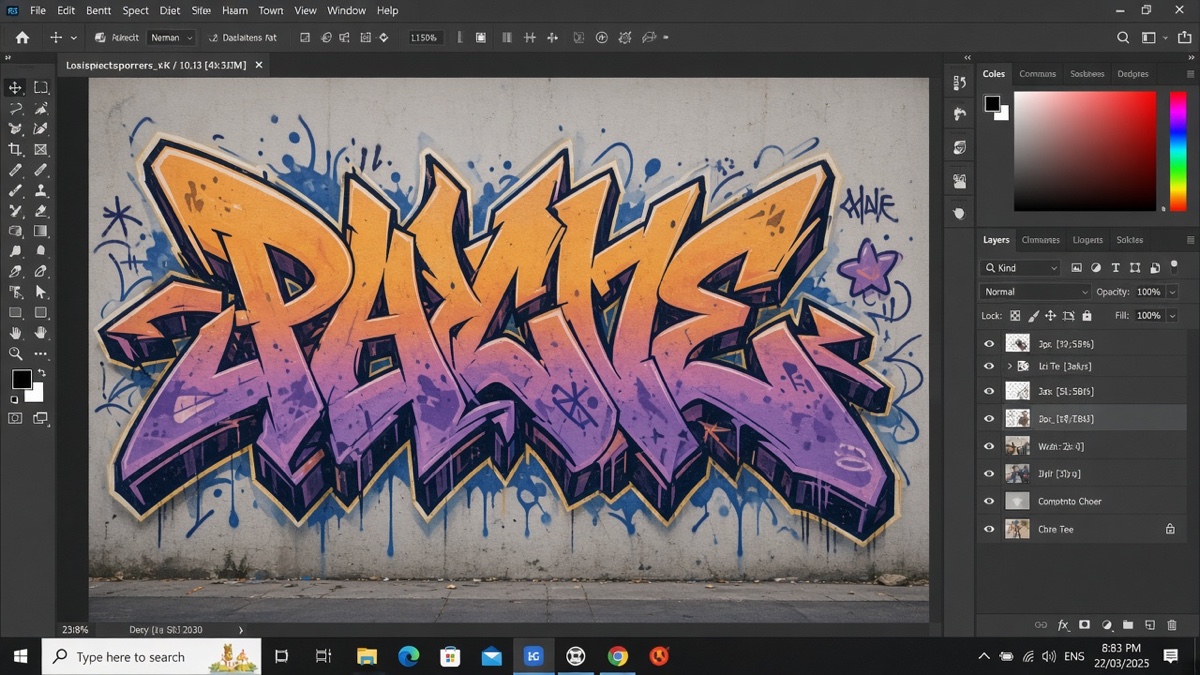
You do not need layers.
That single Photoshop habit slows down a one-word tag more than any missing filter. Adobe's layer overview describes layers as stacked, editable surfaces. For a three-letter sticker you are not compositing seventeen passes. You need readable type, a spray read, and a PNG you can paste.
This comparison shows how to make graffiti without Photoshop by skipping the layer stack entirely. You will type on a browser canvas, export an image, and only open a heavy editor when the job actually needs one.
What Photoshop steps can you skip for graffiti text?
You can skip creating a new document, adding type layers, duplicating for outline effects, rasterizing type, painting spray on a mask, and merging before export. Photoshop's workflow assumes you will revisit each step. A tag with one fill color and a black outline does not need that stack.
Browser graffiti tools bake those choices into one render pass. You pick font, colors, outline width, spray intensity, and background mode, then download a flat PNG. You are not giving up quality for a social post. You are trading non-destructive editing for speed. The output is still an image file apps already accept.
How do you make graffiti without Photoshop in a browser?
Open a canvas-based generator, type a short word, style it, and download the PNG. The entire job stays inside the tab. No Creative Cloud login, no scratch disk warnings, no buried save-for-web dialog.
The Graffiti Generator on this site draws text at 800 by 600 pixels using eight open-source marker and block fonts stored as WOFF2 files: Permanent Marker, Rock Salt, Bungee Shade, Bangers, Rubik Spray Paint, Anton, Black Ops One, and Creepster. A procedural spray layer scatters speckles over the outline based on a seed derived from your settings, so repeating the same colors yields the same pattern.
Here is a concrete run. Type WILD, choose Permanent Marker, set fill to cyan (hex 00d4ff), outline to near-black with width 4, spray intensity at 60, and background to Transparent. The preview shows cyan letters with a dark edge and light scatter. Download PNG gives you an 800 by 600 file with alpha. Paste it into an Instagram story sticker slot and the checkerboard areas disappear on phone.
That beats opening Photoshop for a single word. It also beats hunting graffiti brushes in a marketplace when you only need one export tonight.
Font choice carries most of the personality. Permanent Marker reads like a clean tag. Rock Salt wobbles like handheld paint. Bungee Shade and Bangers push block shapes that read from a distance. Rubik Spray Paint adds aerosol texture. Anton and Black Ops One tighten condensed weight. Creepster leans horror drip edges. Outline width separates letters from busy photos. Spray intensity adds scatter without a separate brush layer. Shadow is optional; turn it off if you plan to add depth in another app later.
Keep the string under thirty characters. The renderer shrinks long text to fit ninety percent of canvas width, but anything longer is rejected at the input box so you do not export clipped letters by surprise.
Which free tools replace Photoshop for graffiti PNGs?
Two paths cover most quick jobs: a dedicated browser generator and Canva's free tier. Neither replaces Photoshop for photo retouching. Both can ship a wordmark tonight.
| Tool | Cost | What you get | Main limit vs Photoshop |
|---|---|---|---|
| Graffiti Generator (browser) | Free, no account | 800x600 PNG or clipboard copy, eight graffiti fonts, seeded spray speckle, transparent or wall background | Flat export only; no per-letter paths; fixed canvas size |
| Canva Free | Free with account | Text effects, templates, PNG/JPG export, drag-and-drop layout | Premium elements watermarked or locked; no true layer PSD export on free; spray look depends on filters you pick |
| Adobe Photoshop | Paid subscription | Full layer stack, mixer brushes, smart objects, unlimited canvas | Monthly cost, learning curve, overkill for one-word PNGs |
Canva's pricing page lists feature gates between Free and Pro tiers, including premium assets and brand controls. If your design is literally one word on transparency, the browser generator skips template hunting. If you need a poster layout with photos and icons, Canva Free may still be the lighter Photoshop substitute even though the spray effect is manual.
When you need Unicode in a bio instead of a PNG, compare how to choose a fancy text generator against installing the raw font files described in free graffiti fonts for designers.
When do you still need Photoshop or another full editor?
You still need a full editor when the graffiti must sit on a specific photo wall with realistic perspective, when each letter needs custom vector edits, or when print output demands CMYK separations at arbitrary resolution.
The browser PNG is 800 pixels wide. That is enough for Instagram stories, Discord banners, and slide headers. It is not enough for a full-bleed 24-inch poster without upscaling artifacts. Photoshop, Affinity Photo, or GIMP handle that scaling workflow with sharpening passes the generator does not offer.
Composite jobs also stay in desktop software. Placing a tag on a brick photo with matching perspective, color spill, and grime still requires masks and transform tools. Generate the word in the browser, import the PNG, then paint integration passes on layers. You skipped the type setup, not the photo work.
Honest caveat: you cannot reopen a downloaded PNG and change just the letter "I" to a different font. Regenerate or trace. That limitation is why short words and quick previews beat ambitious multi-line pieces in the browser tool.
For flowing script in bios rather than spray PNGs, cursive vs script vs italic explains which Unicode styles survive paste on mobile.
I reach for the browser tool first on one-word tags because reopening Photoshop for a single outline layer never pays back the setup time.
Frequently asked questions about making graffiti without Photoshop
Do you lose Photoshop layer editing when you use a browser graffiti tool?
Yes. A browser generator flattens fill, outline, spray, shadow, and background into one PNG. You cannot reopen the file and move the outline to a separate layer or tweak one letter without redrawing. That trade is the whole point if you want to make graffiti without Photoshop in five minutes.
Can a browser tool match Photoshop brush realism for spray paint?
Not at the same level. Photoshop's mixer brush and custom spray stamps can paint photorealistic drips on a photo wall. The Graffiti Generator uses procedural speckles over vector outlines. It reads as street style on posters and social graphics, but it will not fool someone looking for wet paint on brick texture.
What happens to Photoshop smart objects if you export a PNG from a generator?
Smart objects do not exist in a downloaded PNG. The file is a fixed bitmap at 800 by 600 pixels. You can scale it down cleanly, but scaling up will soften edges. If you need non-destructive resizing later, import the PNG into Photoshop or Affinity as a new smart object yourself.
Will a graffiti PNG from the browser work on Instagram and Discord without Photoshop?
Yes, anywhere images are accepted. Instagram stories and Discord profile banners take pasted PNGs. Plain text fields and chat boxes that only accept characters will not show the art. Export with a transparent background when you want the platform color to show through behind the letters.
Why can't you edit individual graffiti letter shapes after downloading a PNG?
The download is a rendered image, not live type. Photoshop would need you to trace letters with the pen tool or mask them by hand. If you know you will reshape one character, start in a vector editor or keep the word short enough to regenerate in the browser tool until it looks right.